
CastPolish Update: Tiered Noise Reduction & App Bundle Fix
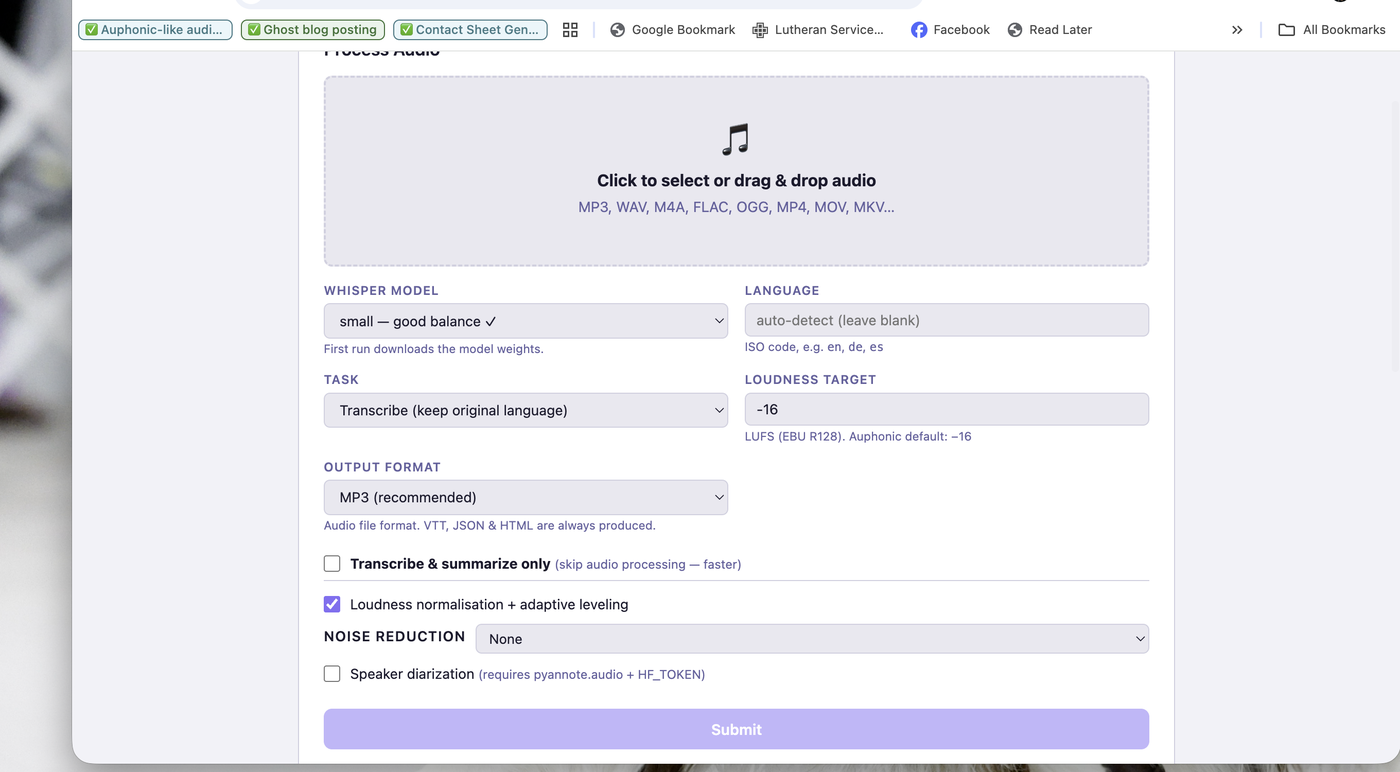
CastPolish has been updated with a significant new feature: tiered noise reduction. Instead of a simple on/off checkbox, you now have a dropdown menu that offers multiple levels of noise cleaning — and it only shows the options that are actually available on your system. If a package is not installed, that option simply does not appear. Nothing breaks.
What's New: Three Noise Reduction Tiers
None
No noise reduction. The default. Your audio goes straight through the loudness normalization and compression pipeline untouched. Best if your recording environment is already clean.
Standard (ffmpeg afftdn)
The original noise reduction option — ffmpeg's built-in FFT-based noise filter. Fast, no extra packages needed, always available. Good for recordings with consistent background hiss or hum. Runs inline in the ffmpeg filter chain and adds roughly 20 seconds to processing time.
Dynamic — noisereduce (NEW)
This is the meaningful upgrade. The noisereduce library applies non-stationary spectral subtraction — it analyzes your audio frame by frame and adapts the noise reduction continuously over time. Unlike afftdn which applies a static filter, this mode handles changing noise environments: a fan that speeds up, a car passing outside, crowd noise that comes and goes. This is the closest open-source equivalent to Auphonic's Dynamic Denoiser.
Install it with: pip install noisereduce soundfile
After installing, restart CastPolish and the Dynamic option will appear in the dropdown automatically. No configuration needed.
How the Dropdown Works
On startup, CastPolish checks which packages are installed and builds the noise reduction dropdown from only what is available. The Dependencies panel at the bottom of the UI shows exactly what is installed and the version number. Install a package, restart CastPolish, and the new option appears automatically.
Does Noise Reduction Use the GPU?
No — noisereduce is CPU-only. It uses NumPy and SciPy for the FFT math, and spreads work across all CPU cores, but there is no GPU path. For a 30-60 minute podcast episode expect 3-8 minutes of noise reduction processing time on Apple Silicon.
Speaker diarization (pyannote.audio) still uses the GPU via Metal on Apple Silicon for a 3-5x speedup. That advantage does not yet extend to noise reduction.
App Bundle Fix: Move It Anywhere
Previous versions of CastPolish.app had a bug: the launcher script used hardcoded paths baked in at build time. If you moved the app from ~/Documents/castpolish/ to /Applications or dragged it to the Dock, it would fail immediately with a 'No such file or directory' error on launcher.sh.
This is now fixed. The AppleScript inside the app uses (path to me) to locate its own Resources folder at runtime, and launcher.sh uses $0-relative paths to find castpolish.py. The app works correctly from any location — Applications folder, Dock, Desktop — without needing to be rebuilt.
How to Update
Pull the latest code, install noisereduce, and rebuild the app:
cd ~/Documents/castpolish && git pull && pip install noisereduce soundfile && python3 create_macos_app.py
Then copy the rebuilt CastPolish.app to your Applications folder. Full source and issue tracker at github.com/abc3-Mac/castpolish.




Comments ()